


👋 Welcome to OSINT Tool Tuesday. This week we’re looking at Telegago; a custom Google search engine designed to help you search publicly available content across Telegram channels and groups. Instead of searching Telegram directly, it uses Google’s search infrastructure to search publicly accessible Telegram content Google has indexed. This means you can use familiar search techniques including keywords, exact phrases, and Google’s search operators to find Telegram channels, posts, and other publicly indexed content.
🚨 This tool has been added to the OSINT Resources for Community Discovery page on The OSINT Newsletter for easy reference later. That list serves as a roadmap for new tutorials in the future. If there are any tools you’d like to see added to the list and covered, please reach out to jake@osint.news with details.
🪃 If you missed the last newsletter, here’s a link to catch up.
⚡ [insert last week’s issue]
[insert link to newsletter]
🎙️ If you prefer to listen, here’s a link to the podcast instead.
[insert link to podcast on substack]
Let’s get started. ⬇️
Telegago is a Google Custom Search Engine designed specifically for searching publicly available Telegram content.
🎩 H/T: N/A (The developers and contributors behind the Telegago Google Custom Search Engine.)
Telegram can be an incredibly useful source for OSINT, but finding specific content through Telegram’s own search can sometimes be a bit tricky. Instead of searching Telegram directly, Telegago uses Google’s search infrastructure to search publicly accessible Telegram content that Google has indexed.
Important Note: Telegago only searches content that is publicly accessible and indexed by Google. It cannot access private groups, encrypted chats or content that Google has not indexed.
In this guide, I’ll show you how to use Telegago, construct searches, refine results, and incorporate Telegram searching into your OSINT workflow.
Let’s go! ⬇️
Telegago is another one of those tools you can access directly through your web browser with no installation required. (Hurrah!) All you need to do is visit the Telegago search engine and begin searching as if you were in any other search engine.
Note: You don’t need a Telegram account to simply perform a search.
All you need to do is enter a keyword, username, phrase, or other identifier into the search box and Telegago will return matching results from publicly accessible Telegram pages indexed by Google.
Your starting search should generally reflect the subject, person, organisation, location, event, phrase or identifier you’re investigating.
For example: OSINT, Donald Trump, Boeing, Iran etc.
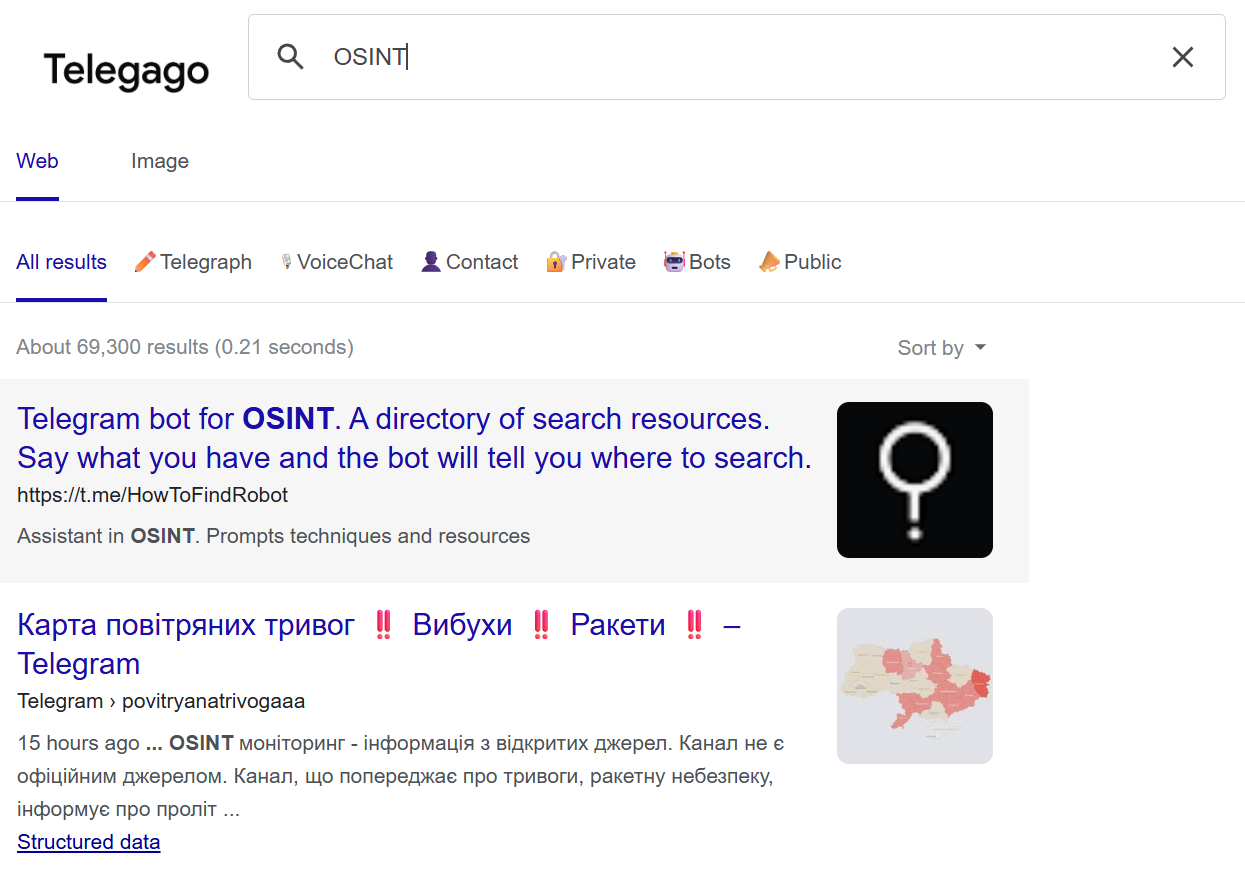
These are obviously broad searches, but they can give you an initial understanding of what Telegram content is publicly indexed around your subject. From there, you can begin narrowing your searches.
Imagine you’re researching a particular organisation. You could begin with: Organisation Name (Boeing in this example):
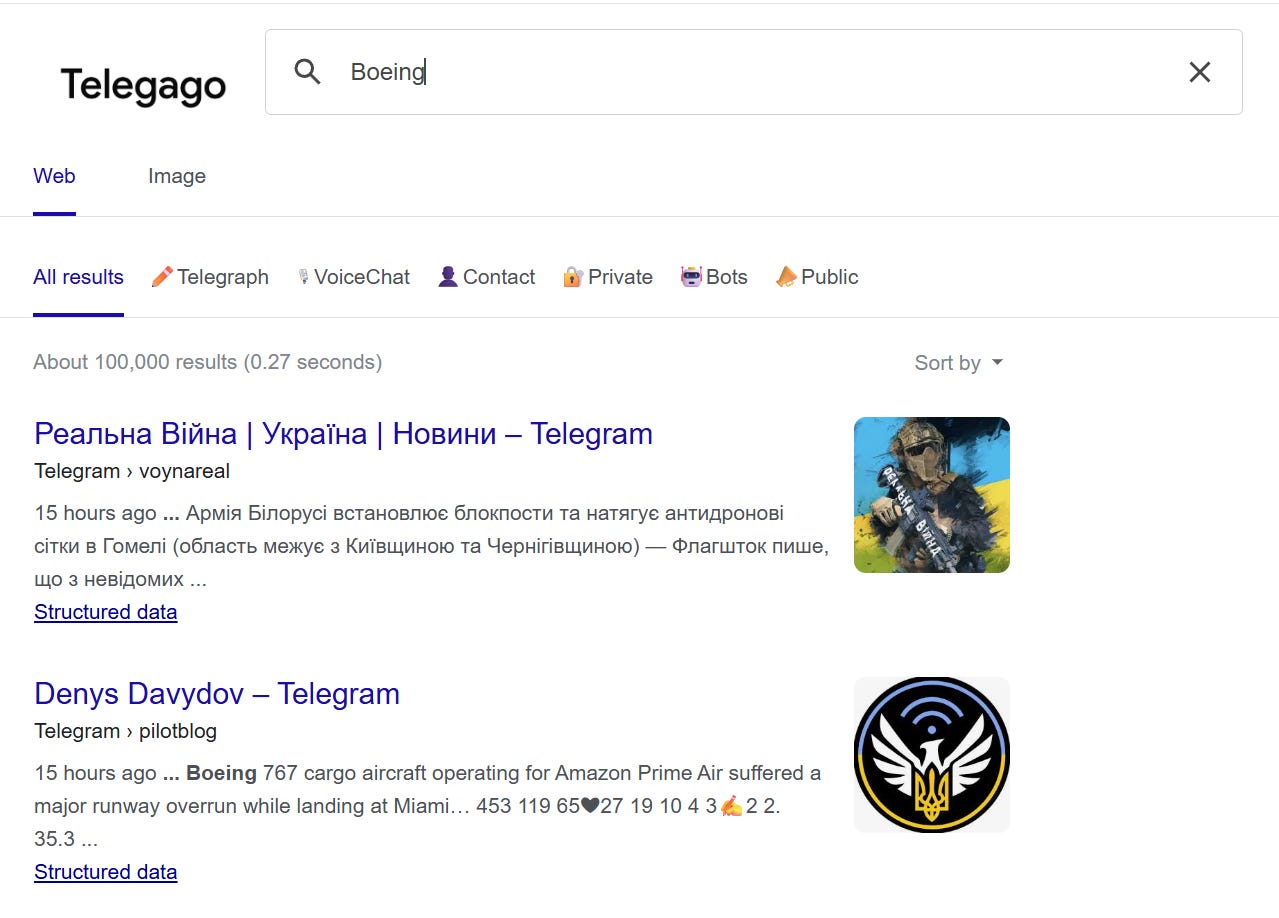
The results may reveal public Telegram channels or posts where that organisation is mentioned.
You could then search for additional terms associated with the subject. E.g. Organisation Name + Location/Event/Product (Boeing 737 in this example..)
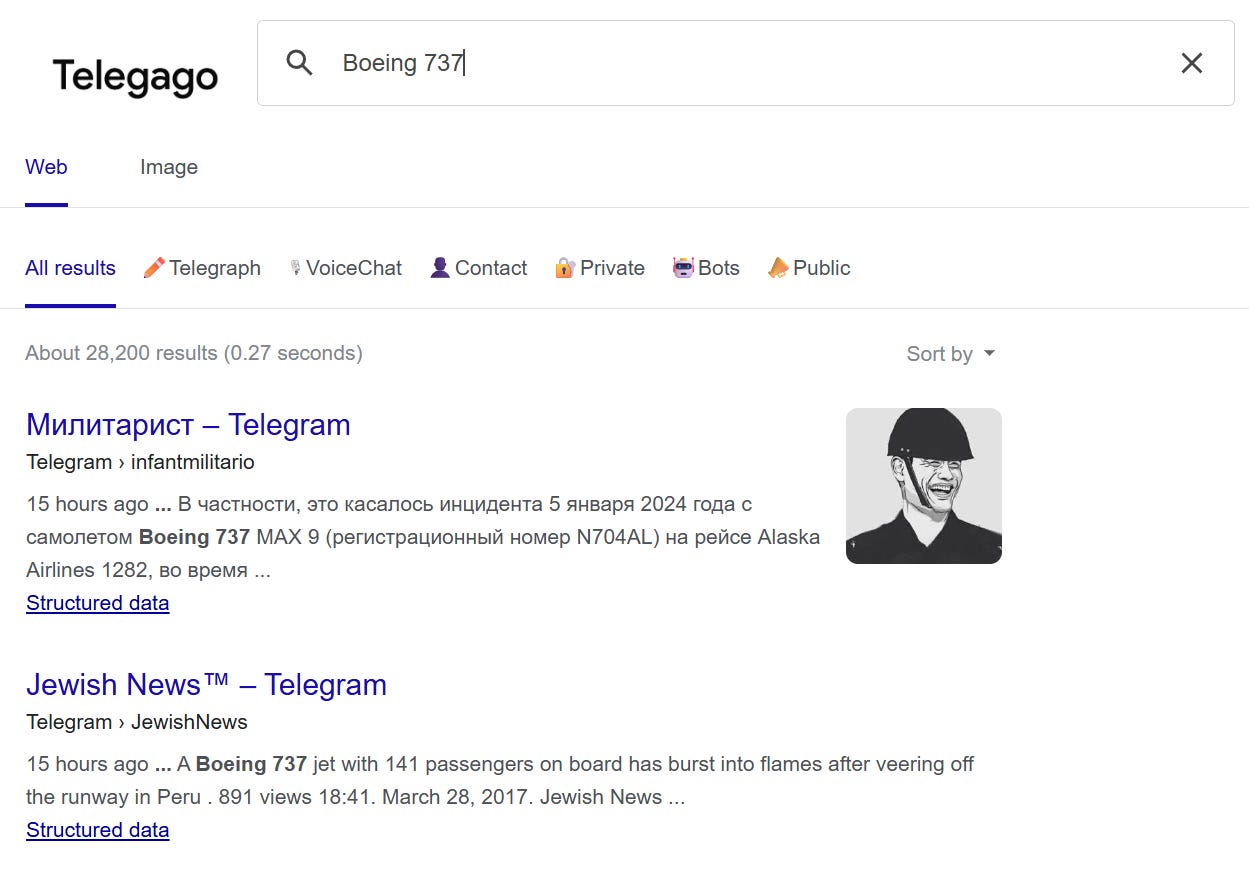
What you’re looking for are new identifiers and sources you can investigate further.
🗒️ Remember that Telegago is searching Google’s index of public Telegram content. Results are therefore dependent on what Google has discovered and indexed.
One particularly useful technique is searching for an exact phrase.
For example: “Boeing 737 with 141 passengers”
This can be useful when you’re investigating a distinctive statement, slogan, headline, claim, username, particular sentence, or text from a screenshot as it can sometimes help identify Telegram posts containing the same wording.
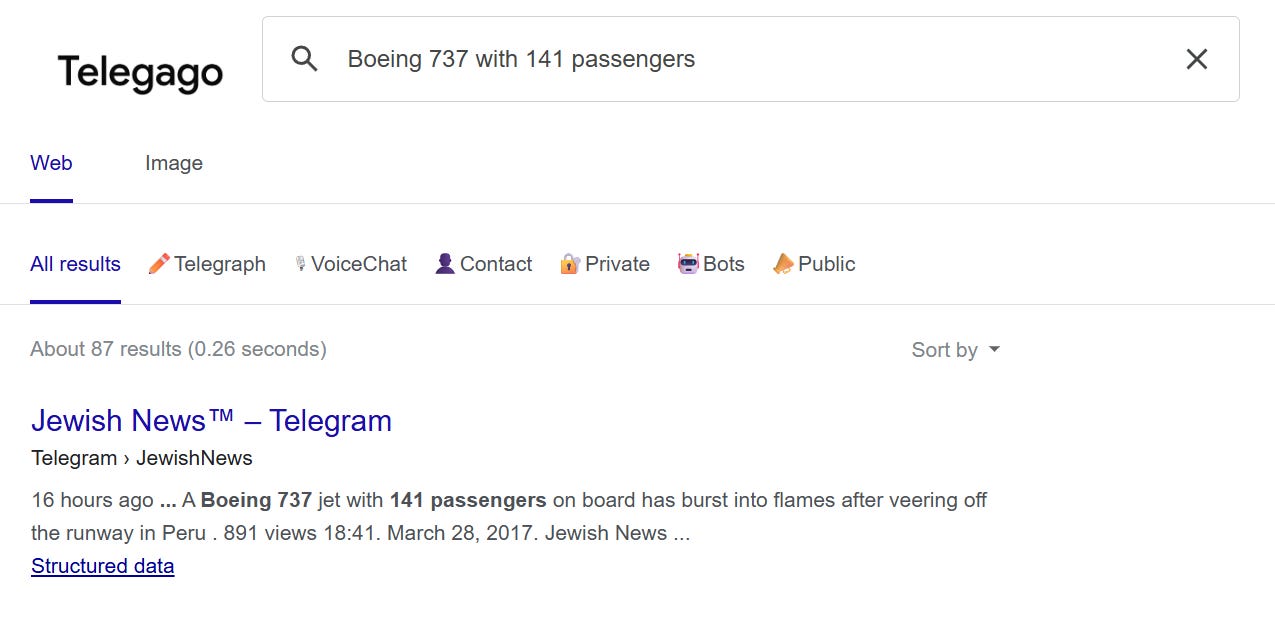
One of the advantages of Telegago is that you’re effectively using Google’s search capabilities to investigate Telegram content. This means familiar Google operators can be useful.
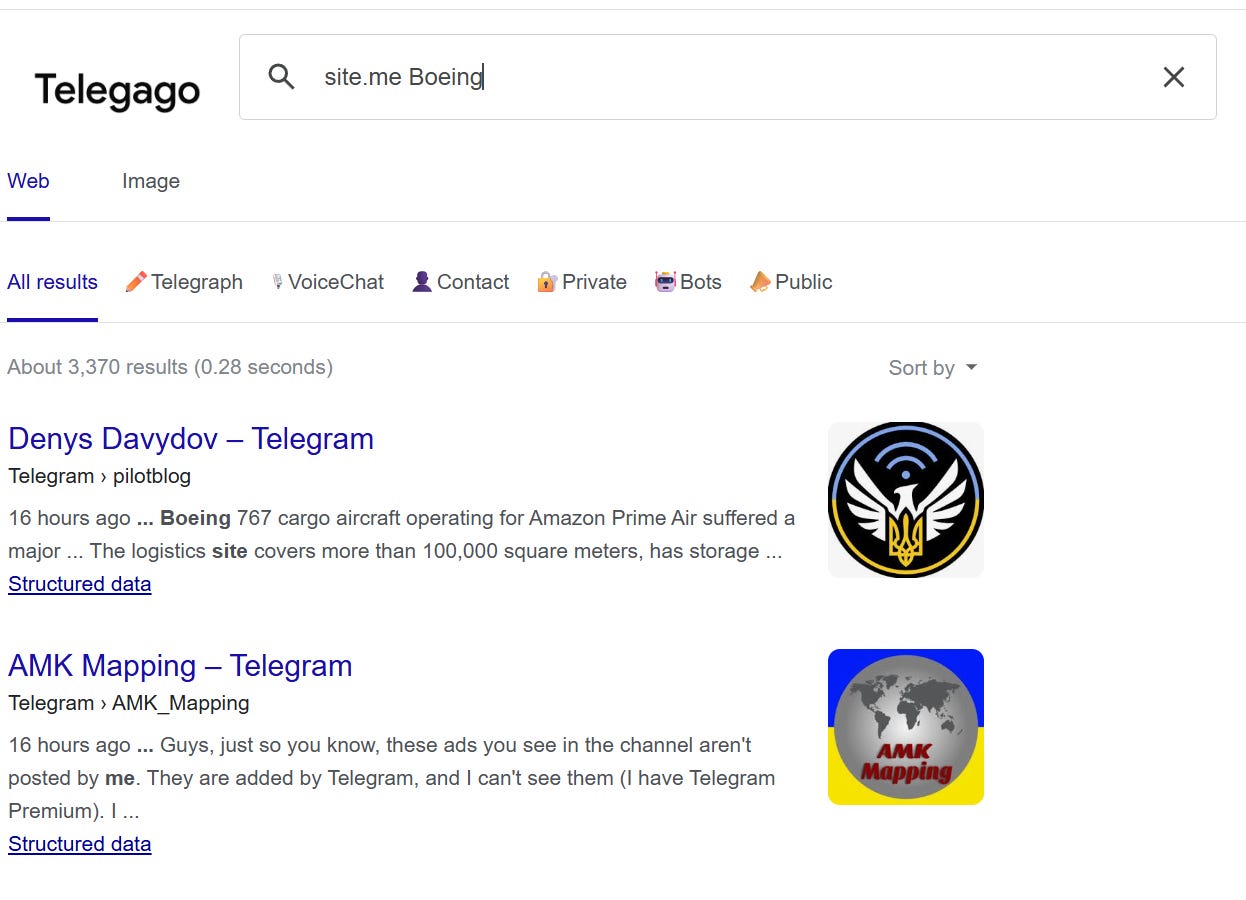
For example: site.me keyword can restrict a conventional Google search to Telegram’s public web domain.
You can also exclude terms using a minus sign to help remove irrelevant results: Boeing -dreamliner
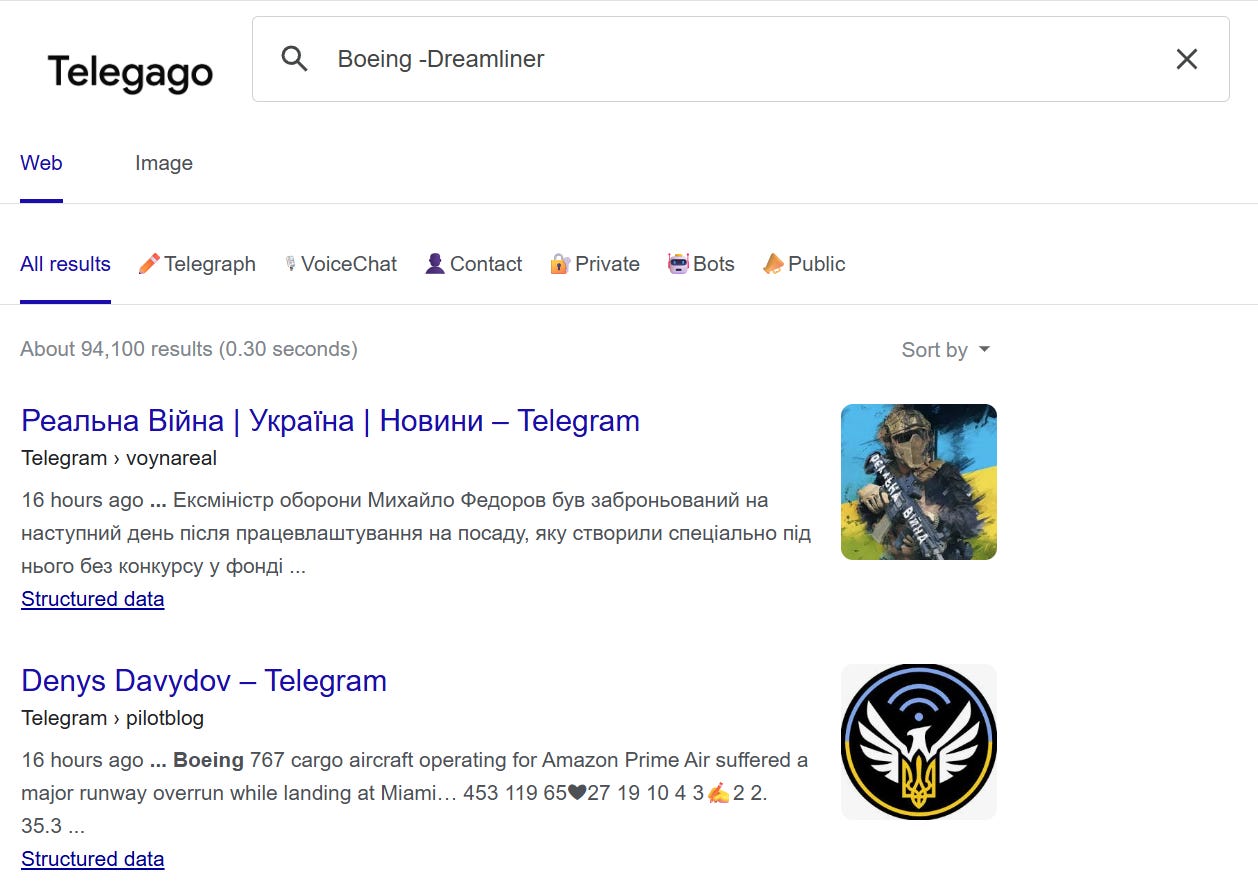
Other operators such as before:, after:, inurl: can also be useful when refining searches, especially if you’re investigating an event that occurred during a particular period.
🗒️ Search operators don’t create information that Google hasn’t indexed. They simply help you work more effectively with the available index.
Telegago can be useful for discovering Telegram channels related to a particular subject.
For example, you might search: “OSINT” or “cybersecurity” with the results leading you to public Telegram channels that you may not have previously been aware of.
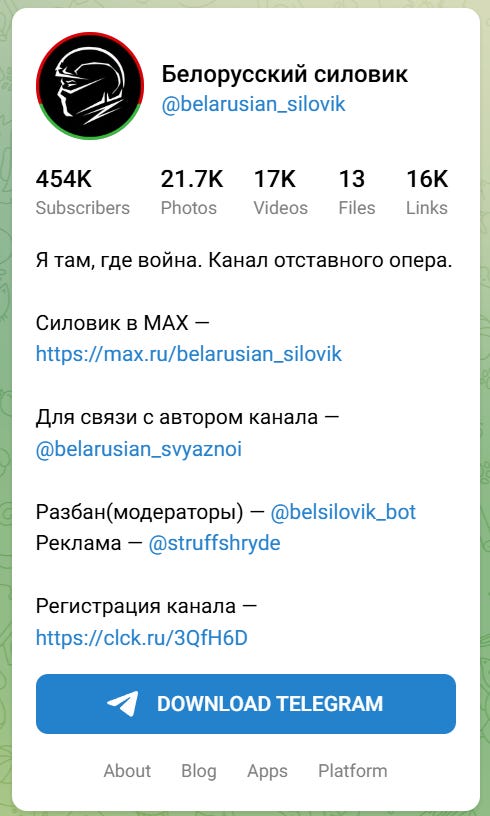
Once you identify a relevant channel, that channel becomes a new investigative pivot.
You can then investigate:
Telegago naturally fits into several OSINT and SOCMINT workflows.
One of the most obvious applications is simply discovering Telegram content related to a particular subject.
If you’re investigating an organisation, event, conflict or online community, you can use Telegago to identify publicly indexed Telegram channels and posts which creates a useful starting point for further research.
Telegram is frequently used to publish and circulate information around breaking events and emerging narratives. Telegago can help identify where particular phrases, claims, or narratives appear in publicly indexed Telegram content. You can then compare publication dates, wording, sources, links, images, and channels to help build a timeline around the appearance and spread of a narrative.
🗒️ Beware that finding identical or similar content in multiple channels does not automatically prove coordination. Content can be copied, reposted, or independently repeated.
One particularly useful application is attempting to trace the origin of information circulating online.
Suppose you encounter a viral screenshot containing a distinctive sentence, you can then search for that sentence in Telegago and if the wording appears in an earlier Telegram post, that post might provide important info such as a date, channel, link, additional context etc.
This turns the original search into a potential source-discovery exercise.
Telegram can be an important source of information when researching cybersecurity threats, malware, vulnerabilities and cybercrime-related activity. You could search for a malware name, actor alias, campaign name, domain, exploit name etc and the resulting Telegram content could provide additional leads or context.
🗒️ The appearance of a particular keyword or identifier in a channel does not by itself establish that the channel, administrator, or members are responsible for the activity being discussed.
Public Telegram channels can also be useful when researching conflicts, protests, and rapidly developing events. You could simply search ‘Event + Location’ or search for distinctive phrases associated with an incident.
However, crisis-related Telegram content can be particularly difficult to verify and may include misinformation, propaganda or manipulated media so always seek independent corroboration.
Telegago can also be useful when checking whether a piece of information has appeared publicly on Telegram. For example, you may encounter a claim that: “This statement was posted on Telegram.”
Searching distinctive wording can help determine whether publicly indexed Telegram content contains the statement.
Telegago becomes particularly useful when Telegram is treated as one component of a wider OSINT workflow.
For example:
Telegram username → Search other social platforms
Domain → WHOIS / DNS / certificate research
Email address → Email OSINT
Photograph → Reverse image search
Location → Maps / geolocation research
Distinctive phrase → Search engines / news archives
Organisation → Corporate and public-record research
🗒️ Similar usernames, names, logos or subjects do not necessarily demonstrate that two accounts or organisations are connected. Confirm relationships using additional evidence.
Depending on your search, you may encounter information such as:
The amount of information available can vary considerably. Some results may lead directly to a relevant post whereas others may simply identify a channel that warrants further investigation. Then you may find results provide little more than a useful keyword or identifier – you just need to stick around for the long game!
🗒️ Remember that Telegago is effectively a search layer over Google’s index. The absence of a result does not establish that a Telegram post or channel doesn’t exist.
Telegago relies on Google’s search infrastructure, which means normal considerations around Google search activity and browser sessions apply.
A few basic precautions are worth keeping in mind:
-
Use Telegago in accordance with applicable laws and terms of service.
-
Avoid unnecessary interaction with Telegram accounts or channels.
-
Remember that public does not necessarily mean intended for unrestricted redistribution.
-
Be cautious when opening links discovered through Telegram.
-
Consider an appropriate isolated research environment when dealing with potentially malicious material.
-
Protect your identity and investigative infrastructure when researching hostile or adversarial subjects.
-
Preserve important findings promptly.
-
Record URLs and dates where appropriate.
-
Be particularly careful when researching conflict, protest or crisis-related material.
-
Avoid unnecessarily amplifying harmful or extremist material.
-
Verify important findings independently.
Telegram searches can also expose researchers to graphic, extremist, or otherwise disturbing material so be safe out there.
Here’s a few ways to get more from Telegago:
-
Compare multiple results. Similar wording, links or publication dates can help identify relationships worth investigating further.
-
Follow links and identifiers. A Telegram result may lead you to websites, social media accounts, usernames or other useful sources.
-
Search the channel itself. Once you’ve identified a relevant channel, use its name, username or distinctive content as new search terms.
-
Capture results promptly. Indexed content can change or disappear.
-
Record the date of your search. This provides useful context when documenting findings that may change over time.
-
Check the original source. Don’t rely solely on Google’s search snippet.
-
Read the surrounding context. A short search result may not tell you what was being discussed before or after the relevant phrase.
-
Verify independently. Search results are leads, not automatically intelligence.
-
Don’t assume the earliest result is the original. Google’s index may not contain the first publication of a piece of content.
-
Remember the index has limits. Telegago cannot find content that is private, inaccessible or not indexed by Google.
🏁 New CTF Challenge Live – THE VESSEL
A new CTF challenge has been posted on our CTF website. This week’s challenge takes you into the world of maritime OSINT.
You’ve been given the IMO number of a vessel reportedly involved in transporting weapons from Syria.
Your mission: trace its history, uncover its past and identify the name it originally had in June 2000.
Start competing in our Capture the Flag (CTF) !
🪃 If you missed the last CTF, here’s a link to catch up.
Last week’s CTF challenge featured a challenge titled “THE RIDE”, in which participants were tasked with investigating
a picture to identify the names of potential restaurants a group of friends could have eaten at.
Challenge solution WU :
To solve this challenge, participants need to identify where the picture has been taken.
Using the image, they can do an image reverse lookup by selecting the old building visible in the picture, which will lead them to : “Palais du Pharo”, in Marseille, France.
Looking at the ground you can see distinctive blocks, so by using google Earth and searching for Palais du Pharo, we can identify the ground which is on the front right corner of Palais du Pharo.
Identifying where the picture had been taken, we can see that behind it, there is a museum called: “Mucem”.
Checking the website of the museum “MUCEM”, and by clicking on “Visite”, we can see a button “Hours & admission”, clicking on that and scrolling down we can find the On-site services, which includes “Restaurants”.
Clicking on “Read more” we are redirected to the four restaurants present at that location.
https://mucem.org/en/the-restaurants/
✅ That’s it for the free version of The OSINT Newsletter. Consider upgrading to a paid subscription to support this publication and independent research.
By upgrading to paid, you’ll get access to the following:
👀 All paid posts in the archive. Go back and see what you’ve missed!
🚀 If you don’t have a paid subscription already, don’t worry. There’s a 7-day free trial. If you like what you’re reading, upgrade your subscription. If you can’t, I totally understand. Be on the lookout for promotions throughout the year.
🚨 The OSINT Newsletter offers a free premium subscription to all members of law enforcement. To upgrade your subscription, please reach out to LEA@osint.news from your official law enforcement email address.
