



Close Menu

    Subscribe to Updates

    Get the latest creative news from FooBar about art, design and business.

    What's Hot

    CISA orders feds to patch Zyxel flaw exploited for data theft

    September 22, 2026

    OpenAI Turned Off the Guardrails | Threat Wire

    September 22, 2026

    Microsoft to retire Microsoft 365 Companion apps in December

    September 22, 2026
    Facebook X (Twitter) Instagram
    • Demos
    • Technology
    • Gaming
    • Buy Now
    Facebook X (Twitter) Instagram Pinterest Vimeo
    Canadian Cyber WatchCanadian Cyber Watch
    • Home
    • News
    • Alerts
    • Tips
    • Tools
    • Industry
    • Incidents
    • Events
    • Education
    Subscribe
    Canadian Cyber WatchCanadian Cyber Watch
    Home»News»Microsoft to retire Microsoft 365 Companion apps in December
    News

    Microsoft to retire Microsoft 365 Companion apps in December

    adminBy adminSeptember 22, 2026No Comments3 Mins Read
    Share Facebook Twitter Pinterest LinkedIn Tumblr Reddit Telegram Email
    Share
    Facebook Twitter LinkedIn Pinterest Email


    Microsoft 365

    Microsoft announced that it will retire the Calendar, People, and Files Microsoft 365 companion apps on December 16 and urged admins to remove them from managed devices in their organization.

    This follows Microsoft’s October 2025 announcement that it will begin automatically installing them on all Windows 11 enterprise devices with the Microsoft 365 desktop client apps by the end of December 2025.

    The Microsoft 365 companion apps integrate Copilot for contextual AI assistance and can help locate people within the organization, access Microsoft 365 and locally stored files, and manage one’s schedule using the Microsoft 365 calendar from the Windows 11 taskbar.

    According to Microsoft’s support, once installed, these apps also launch automatically at startup by default to help users “quickly look up contacts, find files, and check your schedule without delay” and ensure they “show relevant results as soon as users open the app.”

    However, IT admins could also opt out of automatic installation via Device Configuration settings in the Apps Admin Center, and users could disable auto-launch from each app’s Settings dialog by turning off the “Start app minimized when you log in” option.
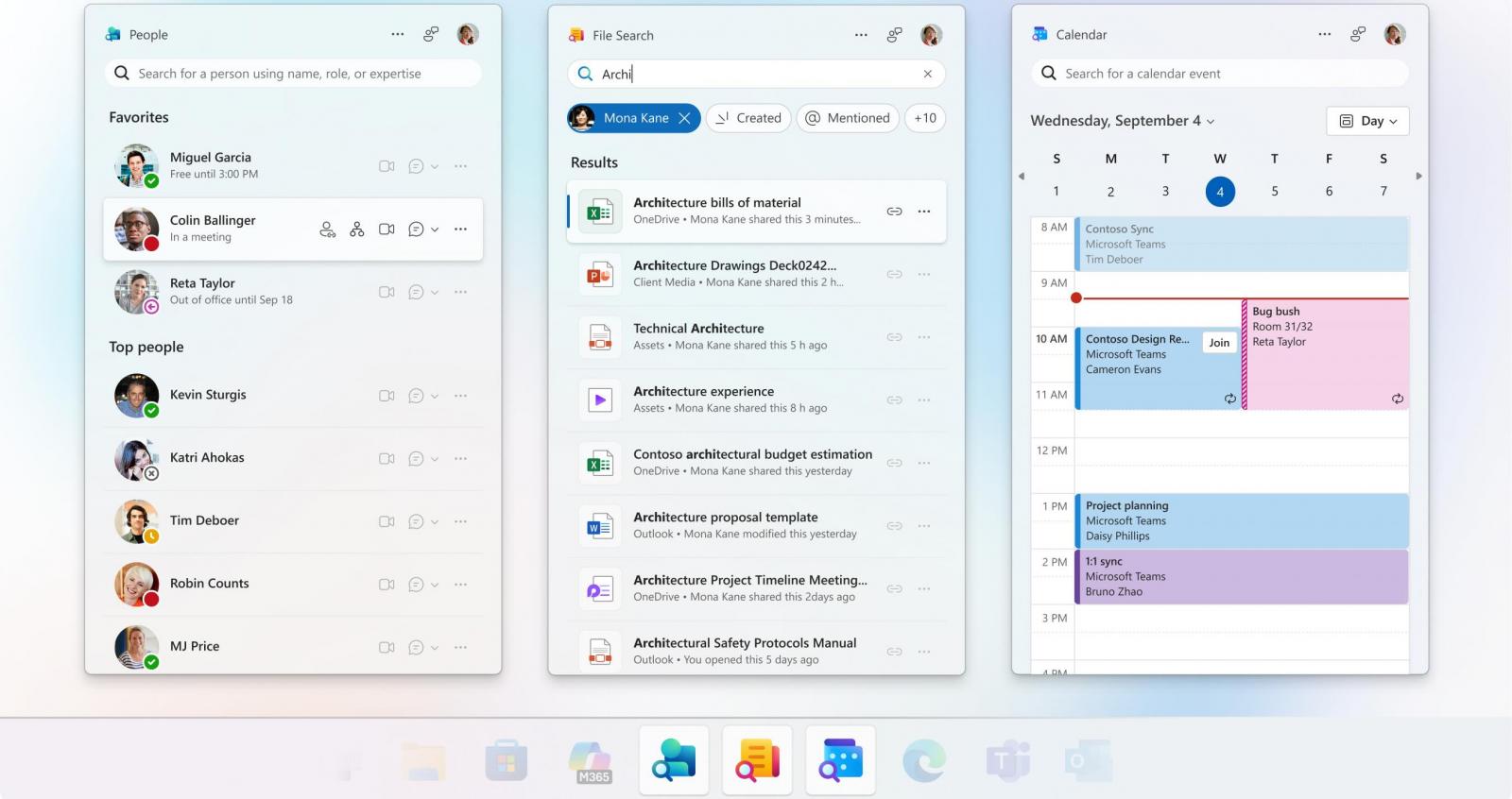
    Microsoft 365 companion apps
    Microsoft 365 companion apps (Microsoft)

    Roughly a year after it began automatically rolling out these apps to compatible devices, Microsoft announced that the Microsoft 365 companion apps will reach end of life on December 16, 2026, when the company said they will no longer be supported and will stop functioning.

    “The Microsoft 365 companion apps—Calendar, People, and Files — are taskbar-integrated apps designed to streamline everyday workflows, helping users stay focused, reduce context switching, and complete tasks faster,” it said in a Microsoft 365 message center update on Friday.

    “We are retiring the companion apps, and they will no longer function or be supported after 16. December 2026. We advise admins remove the apps from devices in their tenant by this date.”

    Starting on Friday, Microsoft has also stopped installing these companion apps through Microsoft 365 Apps updates. While it installed them automatically on compatible systems, Microsoft has asked admins and users of unmanaged devices to uninstall the apps themselves.

    On Friday, Microsoft also reminded admins to migrate Entra ID users to phishing-resistant methods (such as passkeys, QR code authentication, or FIDO2 security keys) to avoid sign-in disruptions after it retires SMS first-factor sign-in starting in February 2027.


    article image

    Join Mikko Hyppönen and security leaders from the NFL, CHANEL, and Atlassian for a two-hour digital summit on what AI-speed attacks change, what defenders should stop doing, and how to validate, decide, fix, and re-validate at machine speed.

    Save your seat


    Source link

    Share. Facebook Twitter Pinterest LinkedIn Tumblr Email
    Previous ArticleWordPress Click2Shell flaw lets hackers execute PHP on the server
    Next Article OpenAI Turned Off the Guardrails | Threat Wire
    admin
    • Website

    Related Posts

    News

    CISA orders feds to patch Zyxel flaw exploited for data theft

    September 22, 2026
    News

    WordPress Click2Shell flaw lets hackers execute PHP on the server

    September 21, 2026
    News

    One does not simply defend agentically

    September 21, 2026
    Add A Comment

    Comments are closed.

    Demo
    Top Posts

    Catchy & Intriguing

    March 17, 202679 Views

    How fraudsters target credit unions

    May 4, 202644 Views

    IP Address Investigations and Local OSINT

    March 20, 202641 Views
    Stay In Touch
    • Facebook
    • YouTube
    • TikTok
    • WhatsApp
    • Twitter
    • Instagram
    Latest Reviews
    85
    Featured

    Pico 4 Review: Should You Actually Buy One Instead Of Quest 2?

    January 15, 2021 Featured
    8.1
    Uncategorized

    A Review of the Venus Optics Argus 18mm f/0.95 MFT APO Lens

    January 15, 2021 Uncategorized
    8.9
    Editor's Picks

    DJI Avata Review: Immersive FPV Flying For Drone Enthusiasts

    January 15, 2021 Editor's Picks

    Subscribe to Updates

    Get the latest tech news from FooBar about tech, design and biz.

    Demo
    Most Popular

    Catchy & Intriguing

    March 17, 202679 Views

    How fraudsters target credit unions

    May 4, 202644 Views

    IP Address Investigations and Local OSINT

    March 20, 202641 Views
    Our Picks

    CISA orders feds to patch Zyxel flaw exploited for data theft

    September 22, 2026

    OpenAI Turned Off the Guardrails | Threat Wire

    September 22, 2026

    Microsoft to retire Microsoft 365 Companion apps in December

    September 22, 2026

    Subscribe to Updates

    Get the latest creative news from FooBar about art, design and business.

    Facebook X (Twitter) Instagram Pinterest
    • Home
    • Technology
    • Gaming
    • Phones
    • Buy Now
    © 2026 ThemeSphere. Designed by ThemeSphere.

    Type above and press Enter to search. Press Esc to cancel.